Smart Plug vs Smart Bulb: Which Should You Start With?
Last updated: October 7, 2026
Cali's Cart is reader-supported. When you buy through our links we may earn a commission, at no extra cost to you. As an Amazon Associate I earn from qualifying purchases. Learn more
If you’re setting up your first smart-home device, the choice usually comes down to a smart plug or a smart bulb. Both let you control lights and small appliances from your phone or by voice, and both work with Alexa and Google Assistant. A smart plug turns any plug-in device—lamps, fans, holiday lights—into something you can schedule and control remotely. A smart bulb screws into any standard lamp socket and adds colour-changing, dimming and scheduling to the light itself. The question is which one gives you more flexibility and value as a starting point.
We researched both categories and chose two affordable, well-reviewed options to illustrate the trade-offs: the Kasa Matter Smart Plug with Energy Monitoring (2-Pack) and the Kasa Smart Wi-Fi Colour Light Bulbs (KL125, 2-Pack). Both are sold as two-packs in the affordable to mid-range price bracket, both work without a separate hub, and both come from the same brand, which makes the comparison straightforward. Here’s how they differ in practice and which one suits different homes and goals. (For more starter devices, see our Best Starter Smart-Home Gadgets guide.)
In short
- Smart plugs turn any plug-in device (lamps, fans, holiday lights) on and off remotely; smart bulbs add colour and dimming to any lamp with a standard socket.
- Plugs work with any bulb and fixture you already own; bulbs require a compatible lamp or socket and 2.4 GHz Wi-Fi.
- Both options work with voice assistants and scheduling; the right choice depends on whether you want control over devices or lighting effects.
| Feature | Kasa Matter Smart Plug with Energy Monitoring (2-Pack) | Kasa Smart Wi-Fi Colour Light Bulbs (KL125, 2-Pack) |
|---|---|---|
| Brand | Kasa (TP-Link) | Kasa (TP-Link) |
| Best for | Lamps, fans and holiday lights with Matter-platform control | Renters and first-time smart-home users with 2.4 GHz Wi-Fi |
| Not ideal for | Space heaters or high-draw appliances beyond 15 A | Homes with 5 GHz-only Wi-Fi or enclosed fixtures |
| Price | $$ Mid-range price tierAbout $25 to $45Typical range, Oct 2026 | $$ Mid-range price tierAbout $18 to $30Typical range, Oct 2026 |
| Key features |
|
|
| Where to buy | Check Price | Check Price |
Swipe sideways to see every product.
As an Amazon Associate I earn from qualifying purchases. How we make money
Design and materials
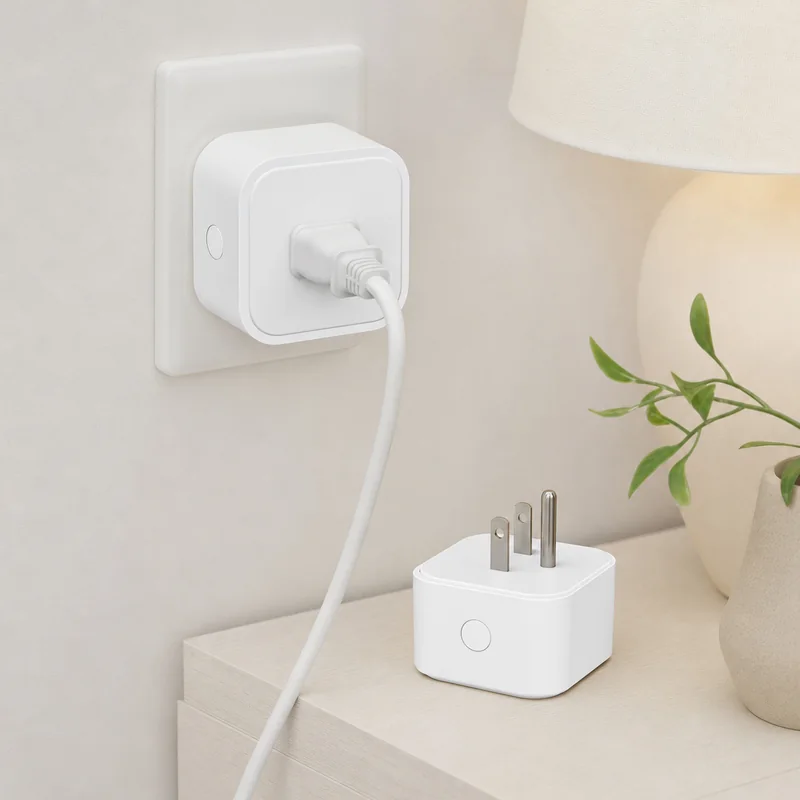
The Kasa Matter Smart Plug is a compact plastic housing that measures 6.7 × 4 × 3.8 cm per plug, rated for 15 A and 120 V (up to 1800 W maximum). According to the listing, it’s compatible with Apple Home, Alexa and Google Home via Matter, and it includes energy monitoring to track power consumption over time. The plug connects to your 2.4 GHz Wi-Fi network through the free Kasa app for iOS and Android, and the brand says it offers local LAN control when your home internet is offline. Wirecutter (The New York Times) tested the single-pack version (KP125M) and said it worked decently but cost more than their top pick; it is not Wirecutter’s pick. The listing includes a two-year manufacturer warranty. Because the plug sits in the outlet, it works with any device you plug into it—lamps, fans, holiday lights—as long as the total draw stays below 15 A. The listing says it’s for indoor use only and not suitable for space heaters or other high-draw appliances that exceed the rated load.
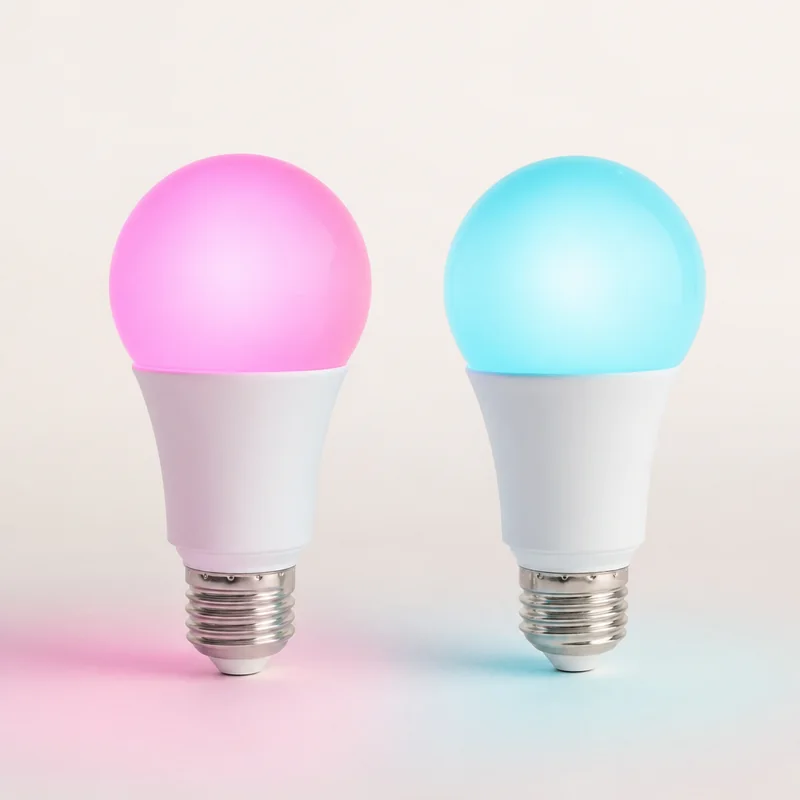
The Kasa Smart Wi-Fi Colour Light Bulbs (KL125, 2-Pack) are standard A19 LED bulbs with an E26 base. According to the listing, each bulb draws 9 watts and produces 800 lumens (the equivalent of a 60-watt incandescent). The listing says they offer 16 million colours and adjustable white temperature from 2500K (warm) to 6500K (cool), and they’re dimmable through the Kasa app or by voice with Alexa or Google Assistant. PCWorld reviewed the KL125 and called it a solid runner-up smart colour bulb; Android Authority found it easy to use with good scheduling but a fussy setup, according to search summaries. The listing says the bulbs are UL certified and require 2.4 GHz Wi-Fi (they won’t work with 5 GHz-only networks). Unlike the plug, the bulbs are not Matter-compatible; they connect directly to the Kasa app and work with Alexa or Google Assistant but not Apple Home. The listing also notes they’re not for enclosed fixtures unless rated for that use.
Size, space and setup
The smart plug’s compact size is designed to avoid blocking the second outlet in a standard duplex receptacle, though you should check the dimensions (6.7 × 4 × 3.8 cm) against your outlet and any furniture or trim nearby. Setup involves downloading the Kasa app, creating an account, and following the in-app pairing steps on your 2.4 GHz Wi-Fi network. Once paired, you plug any device into the smart plug—a table lamp, a standing fan, a string of holiday lights—and control it through the app or by voice. The plug itself has no physical switch, so the device you plug in should have its own switch left in the on position; the smart plug then controls the power flow. Because the plug works with Matter, the listing says you can add it to Apple Home, Alexa or Google Home and control it through any of those platforms.
The smart bulbs screw into any lamp or fixture with a standard E26 socket. Measure the height and width of your lamp shade or fixture to confirm an A19 bulb will fit without crowding. The listing says setup can be fussy: you screw in the bulb, turn it on and off a few times to enter pairing mode, then follow the Kasa app prompts to connect it to your 2.4 GHz Wi-Fi. If your router broadcasts both 2.4 GHz and 5 GHz under the same network name, you may need to temporarily disable the 5 GHz band or move closer to the router during setup. Once connected, you control brightness, colour and schedules through the app or by voice. The listing says the bulbs include an away mode that turns lights on and off to simulate occupancy, and energy monitoring to track usage. Because the smarts are built into the bulb, the lamp’s physical switch must stay on; turning it off at the switch cuts power and disables app control until you flip it back on.
How each suits different homes and needs
A smart plug makes sense if you want to control multiple types of devices—lamps, fans, holiday lights, a coffee maker—without replacing anything you already own. You keep your existing bulbs and fixtures, plug them into the smart plug, and gain remote control and scheduling for whatever you connect. The Kasa plug’s energy monitoring lets you track how much power a device uses over time, which can be helpful if you’re curious about phantom loads or want to confirm a fan or lamp is off when you’re away. The Matter compatibility means you can add the plug to Apple Home, Alexa or Google Home, so it works across ecosystems if you switch assistants or use more than one. The plug is especially practical for renters or anyone who wants flexibility without permanent changes. (See our Smart-Home Starter Guide for Renters for more renter-friendly options.)
A smart bulb is the better choice if your main goal is lighting effects—colour-changing scenes, adjustable white temperature for different times of day, or dimming without a separate dimmer switch. The Kasa KL125 bulbs offer 16 million colours and a white range from warm (2500K) to cool (6500K), so you can set a cozy amber glow for evenings or a bright, focused white for reading. The listing says the bulbs work with Alexa and Google Assistant for voice control, and the Kasa app lets you create schedules and use away mode to turn lights on and off while you’re out. Because the smarts are in the bulb, you’re limited to lamps and fixtures with accessible sockets; you can’t use a smart bulb to control a fan or other non-lighting device. The bulbs are also Wi-Fi-only (not Matter), so they won’t work with Apple Home unless you add a separate hub. PCWorld and Android Authority both noted that setup can be fussy, so plan for a bit of trial and error the first time you pair them.
Care, upkeep and value
Smart plugs require almost no maintenance. The Kasa plug stays in the outlet and runs on your Wi-Fi; as long as your network is stable, it should work reliably. If you move or rearrange furniture, you simply unplug it and move it to a new outlet. The listing says the plug offers local LAN control when your home internet is down, so you can still control devices from your phone as long as you’re on the same Wi-Fi network. The two-year manufacturer warranty covers defects, though you should check the listing for the full terms. The main limitation is the 15 A / 1800 W rating: don’t plug in space heaters, hair dryers or other high-draw appliances, and never exceed the rated load. For general safety, follow the manual and unplug the smart plug before cleaning.
Smart bulbs have a longer lifespan than incandescent bulbs—the listing says the Kasa KL125 is a 9-watt LED equivalent to a 60-watt incandescent—but they will eventually burn out and need replacement. Because the bulb itself is the smart device, you can’t simply swap in a new bulb and keep the same app control; you’ll need to buy another smart bulb when the time comes. The listing says the bulbs are UL certified, and the Kasa app includes energy monitoring so you can track usage over time. Setup can be fussy, especially on dual-band routers, so be prepared to troubleshoot the first pairing. Once connected, the bulbs work reliably as long as the lamp’s physical switch stays on. If someone in your household habitually turns off the lamp at the switch, the bulb loses power and you lose app control until it’s switched back on. Both the plug and the bulbs fall into the affordable to mid-range price bracket, so the upfront cost is similar; the real difference is flexibility (plug) versus lighting effects (bulb).
Choose the Kasa Matter Smart Plug with Energy Monitoring (2-Pack) if you
- You want to control lamps, fans, holiday lights or other plug-in devices without replacing bulbs or fixtures.
- You value energy monitoring to track power consumption over time.
- You use or plan to use Apple Home, Alexa or Google Home and want Matter compatibility across platforms.
- You’re a renter or want a solution you can easily move from room to room or take with you.
- You need local LAN control when your home internet is offline (according to the brand).
Choose the Kasa Smart Wi-Fi Colour Light Bulbs (KL125, 2-Pack) if you
- Your main goal is colour-changing lighting, adjustable white temperature or dimming without a separate dimmer switch.
- You have lamps or fixtures with accessible E26 sockets and want to add smart control to the light itself.
- You use Alexa or Google Assistant (not Apple Home) and want voice control for lighting scenes and schedules.
- You’re comfortable with a potentially fussy setup process and keeping the lamp’s physical switch in the on position.
- You want away mode to simulate occupancy by turning lights on and off while you’re out.
Our verdict
For most people setting up their first smart-home device, a smart bulb is the more rewarding starting point. Lighting is the most immediate and visible smart-home upgrade: you can change the colour and brightness of a room from your phone, set schedules so lights turn on before you get home, and use voice commands to dim the lights without getting up. The Kasa Smart Wi-Fi Colour Light Bulbs (KL125, 2-Pack) offer 16 million colours, adjustable white temperature from warm to cool, and straightforward app and voice control with Alexa or Google Assistant. PCWorld called the KL125 a solid runner-up smart colour bulb, and the listing says it includes scheduling, away mode and energy monitoring. Setup can be fussy—especially on dual-band routers—but once paired, the bulbs deliver the kind of instant, visible change that makes the smart-home concept click.
That said, the Kasa Matter Smart Plug with Energy Monitoring (2-Pack) is the better choice if you want to control multiple types of devices (lamps, fans, holiday lights) without replacing anything you already own, or if you use Apple Home and need Matter compatibility. The plug’s flexibility and energy monitoring make it a practical all-rounder, and Wirecutter tested the single-pack version and said it worked decently (though it’s not their top pick). For renters, anyone who values cross-platform compatibility, or anyone who wants to start with device control rather than lighting effects, the smart plug is the smarter investment. Check the listing on each product page to confirm compatibility with your Wi-Fi network and voice assistant before you buy. (For more home upgrades, see our Bedroom Refresh: Simple Upgrades for a Calmer Room guide.)
Better first smart-home device
Illustration, not the actual product
Kasa (TP-Link)
Kasa Smart Wi-Fi Colour Light Bulbs (KL125, 2-Pack)
Wi-Fi colour bulbs with voice control, app scheduling and 16 million colour options for bedroom and living-room lamps.
Best for Renters and first-time smart-home users with 2.4 GHz Wi-Fi
Pros
- a full range of colours plus whites from warm (2500K) to cool (6500K)
- Voice control with Alexa or Google Assistant
- Remote control, schedules and away mode in the Kasa app
- No hub required; UL certified per the listing
Cons
- Setup can be fussy
- Requires 2.4 GHz Wi-Fi (won't work with 5 GHz-only networks)
- Not for enclosed fixtures unless rated
As an Amazon Associate I earn from qualifying purchases. How we make money
Frequently asked questions
Do I need a hub to use these smart plugs or bulbs?
No. According to the listings, both the Kasa Matter Smart Plug and the Kasa Smart Wi-Fi Colour Light Bulbs connect directly to your 2.4 GHz Wi-Fi network through the free Kasa app, so you don’t need a separate hub. The smart plug works with Apple Home, Alexa and Google Home via Matter; the bulbs work with Alexa and Google Assistant but not Apple Home (they’re not Matter-compatible).
Can I use a smart plug with a space heater or hair dryer?
No. The Kasa Matter Smart Plug is rated for 15 A and 120 V (up to 1800 W maximum), and the listing says it’s not suitable for space heaters or other high-draw appliances that exceed the rated load. Space heaters and hair dryers typically draw more power than the plug can safely handle. For general safety, never exceed the plug’s rated capacity.
What happens if I turn off the lamp switch with a smart bulb installed?
If you turn off the lamp’s physical switch, the smart bulb loses power and you lose app control until you flip the switch back on. The bulb needs constant power to stay connected to your Wi-Fi and respond to app or voice commands. For best results, leave the lamp switch in the on position and control the light through the app or by voice.
Will these work with my 5 GHz Wi-Fi network?
No. According to the listings, both the Kasa smart plug and the Kasa smart bulbs require a 2.4 GHz Wi-Fi network and won’t work with 5 GHz-only networks. If your router broadcasts both bands under the same network name, you may need to temporarily disable the 5 GHz band or move closer to the router during setup. Check the listing on each product page to confirm your network is compatible before you buy.