Best Starter Smart-Home Gadgets
Last updated: October 7, 2026
Cali's Cart is reader-supported. When you buy through our links we may earn a commission, at no extra cost to you. As an Amazon Associate I earn from qualifying purchases. Learn more
Smart-home gadgets can make daily routines easier—dim the lights from bed, check on pets while you’re out, or wake to a gradual sunrise alarm—but the sheer number of options can feel overwhelming when you’re just starting out. We researched beginner-friendly devices that work without complicated wiring or permanent installation, so renters and first-time smart-home users can experiment without commitment.
This guide highlights four independently reviewed picks—colour-changing Wi-Fi bulbs, a bedside Alexa clock, a plug-in security camera and a TV backlight—plus one additional smart plug with energy monitoring. Each device connects to your home Wi-Fi and smartphone app, and most support voice control through Alexa or Google Assistant. We focused on products that reviewers found straightforward to set up and useful in everyday life, with real-world downsides clearly noted so you know what to expect before you buy.
In short
- Best starter smart bulbs: Kasa Smart Wi-Fi Colour Light Bulbs (KL125, 2-Pack) offer 16 million colours, voice control and no hub needed
- Best bedside smart clock: Amazon Echo Spot (Newest Model) combines Alexa voice control with a customizable display for time and weather
- Best budget indoor camera: Blink Mini 2 Plug-In Security Camera delivers 1080p HD live view and two-way audio at an accessible price
- Best budget TV backlight: Govee TV Backlight 3 Lite syncs LED colour to your screen for movie-night ambiance
How we chose
We researched dozens of smart-home devices by reading independent reviews from PCMag, PCWorld, Android Central, Wirecutter (The New York Times), The Verge and other trusted tech publications, then cross-referenced those findings with product listings to confirm specifications, compatibility and features. We did not test or use these products ourselves; instead, we looked for gadgets that reviewers described as beginner-friendly, reliable in daily use and compatible with the most common smart-home platforms (Alexa, Google Assistant and Apple Home). We prioritized devices that require no hub, no hardwiring and no landlord permission, making them ideal for renters and anyone setting up their first connected home.
We only give awards to products with independent coverage from named reviewers, so you can trace our recommendations back to testing and evaluation by journalists and tech experts. For each pick, we noted what reviewers praised, what they criticized and who should skip it. We also included one additional product—a Matter-compatible smart plug—for which we found independent coverage of the product line but not this exact two-pack; we explain that plainly and present only the listing’s facts. Our goal is to help you choose starter gadgets that fit your space, budget and comfort level with technology, without pressure or hype.
Best starter smart bulbs: Kasa Smart Wi-Fi Colour Light Bulbs (KL125, 2-Pack)
Best starter smart bulbs
Illustration, not the actual product
Kasa (TP-Link)
Kasa Smart Wi-Fi Colour Light Bulbs (KL125, 2-Pack)
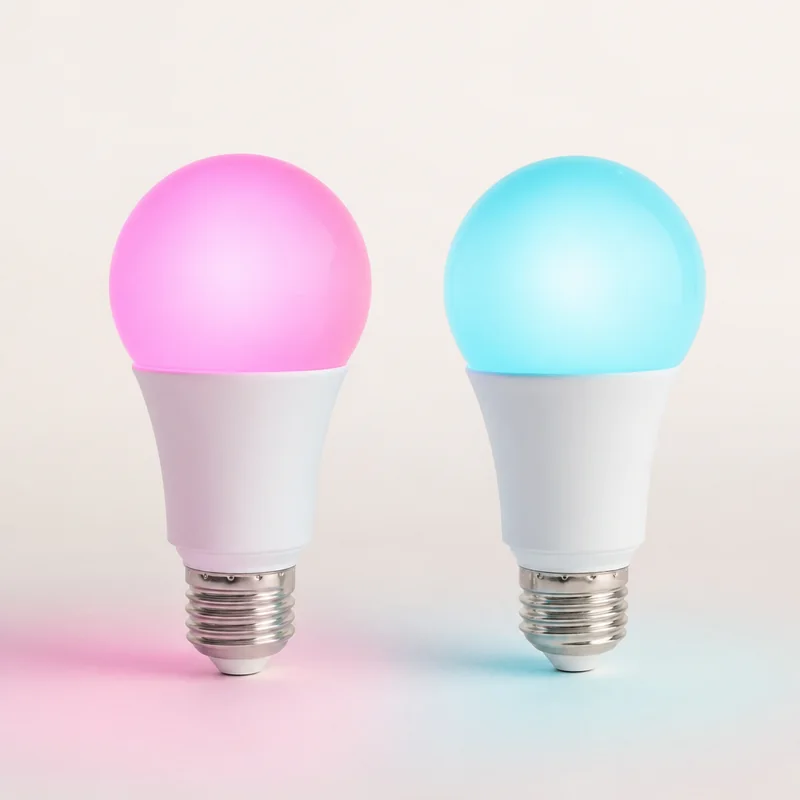
The Kasa Smart Wi-Fi Colour Light Bulbs (KL125, 2-Pack) earned this spot because PCWorld called them a solid runner-up smart colour bulb, and Android Authority found them easy to use with good scheduling, according to search summaries of those reviews. Each A19 LED bulb puts out 800 lumens (equivalent to a 60-watt incandescent) at just 9 watts, and the listing says you can choose from 16 million colours plus adjustable white temperatures from warm 2500K to cool 6500K. You control them remotely through the free Kasa app for iOS and Android, set schedules to turn lights on or off automatically, and use voice commands with Amazon Alexa or Google Assistant—all without a separate hub. The listing also mentions energy monitoring and an away mode that cycles lights to make your home look occupied while you’re out. According to the listing, the bulbs are UL certified.
Setup can be fussy, reviewers noted, and the bulbs require a 2.4 GHz Wi-Fi network; they won’t work if your router broadcasts only 5 GHz. If you live in an apartment or condo with a dual-band router, check that you can connect to the 2.4 GHz band before you buy. The listing also warns that these bulbs are not for enclosed fixtures unless the fixture is rated for that use, so measure your lamp or ceiling fixture and confirm compatibility on the product page. Despite those quirks, this two-pack offers an accessible entry point for anyone curious about colour-changing smart lighting, and the lack of a hub keeps both cost and complexity down. Renters will appreciate that you simply screw them into standard E26 sockets and take them with you when you move.
Skip these bulbs if your home Wi-Fi is 5 GHz-only, if you need bulbs for fully enclosed fixtures, or if you want the absolute simplest setup with zero troubleshooting. For everyone else—especially those setting up a first smart-home routine with voice control and remote scheduling—the Kasa KL125 two-pack strikes a practical balance between features and ease of use.
Best for Renters and first-time smart-home users with 2.4 GHz Wi-Fi
Pros
- a full range of colours plus whites from warm (2500K) to cool (6500K)
- Voice control with Alexa or Google Assistant
- Remote control, schedules and away mode in the Kasa app
- No hub required; UL certified per the listing
Cons
- Setup can be fussy
- Requires 2.4 GHz Wi-Fi (won't work with 5 GHz-only networks)
- Not for enclosed fixtures unless rated
As an Amazon Associate I earn from qualifying purchases. How we make money
Best bedside smart clock: Amazon Echo Spot (Newest Model)
Best bedside smart clock
Illustration, not the actual product
Amazon
Amazon Echo Spot (Newest Model)
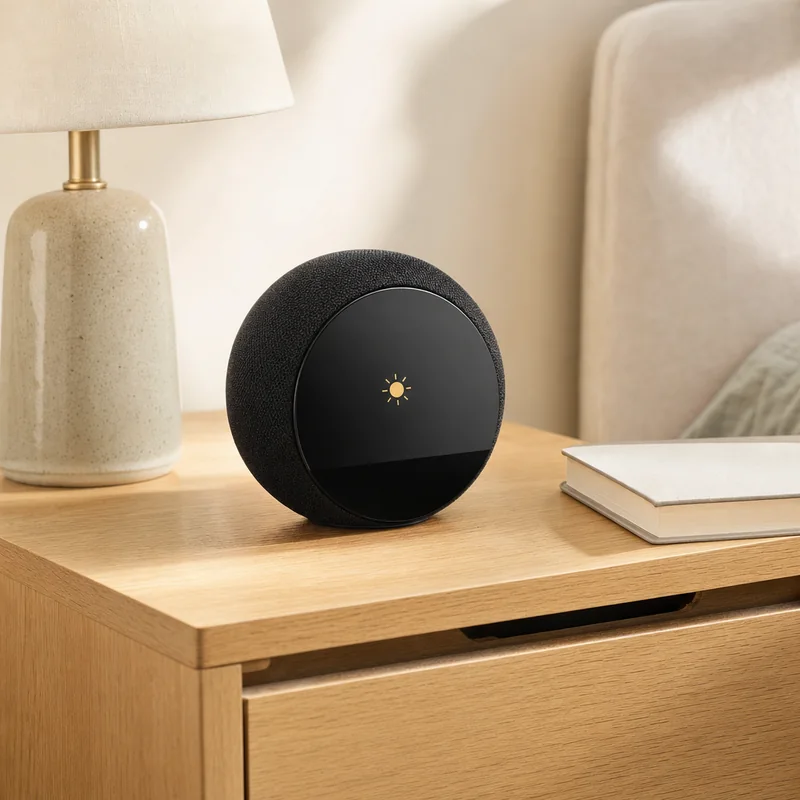
The Amazon Echo Spot (Newest Model) is a compact smart alarm clock with Alexa built in, and it earned this award because PCMag, The Verge and Wired reviewed it as a good bedside smart clock and basic speaker, according to search summaries of those reviews. The customizable display shows the time, current weather and song information, and you can control it by voice or touch to manage compatible smart lights, plugs and other devices in your home. The listing says you can create Alexa routines—for example, waking to gradual music and slowly brightening lights—and the built-in speaker handles alarms, timers and voice responses. A physical mic-off button gives you privacy control when you don’t want Alexa listening. The Echo Spot comes in black and other colours, with a plastic and fabric housing sized to fit on a nightstand or desk without taking up much room.
Reviewers noted that this model has no camera and a small screen, so it’s not suitable for video calls or watching content; it’s designed strictly as a bedside assistant and basic speaker. You’ll need Wi-Fi and the Alexa app to set it up, and the listing doesn’t specify warranty details, so check the product page for current information. The typical price range varies quite a bit over time, so see the range on this page to understand where it sits in the mid-range to premium bracket. If you already use Alexa-compatible smart bulbs, plugs or thermostats—or plan to add them—the Echo Spot becomes a central voice and touch control point that also handles your morning alarm and weather check.
Skip the Echo Spot if you want a camera for video calls, need a larger display, or prefer not to have a voice assistant in your bedroom. It’s best for anyone building a bedside smart-home hub who values a customizable clock display, voice routines and the convenience of asking Alexa to turn off the lights without reaching for a phone.
Best for Bedside tables and desks with Alexa-compatible devices
Pros
- Customizable display shows time, weather and song titles
- Voice and touch control for compatible smart-home devices
- Alexa routines for gradual wake-up with music and light
- Mic off button for privacy
- Compact size for nightstands
Cons
- No camera
- Small screen
- Requires Wi-Fi and Alexa app setup
As an Amazon Associate I earn from qualifying purchases. How we make money
Best budget indoor camera: Blink Mini 2 Plug-In Security Camera
Best budget indoor camera
Illustration, not the actual product
Blink (Amazon)
Blink Mini 2 Plug-In Security Camera
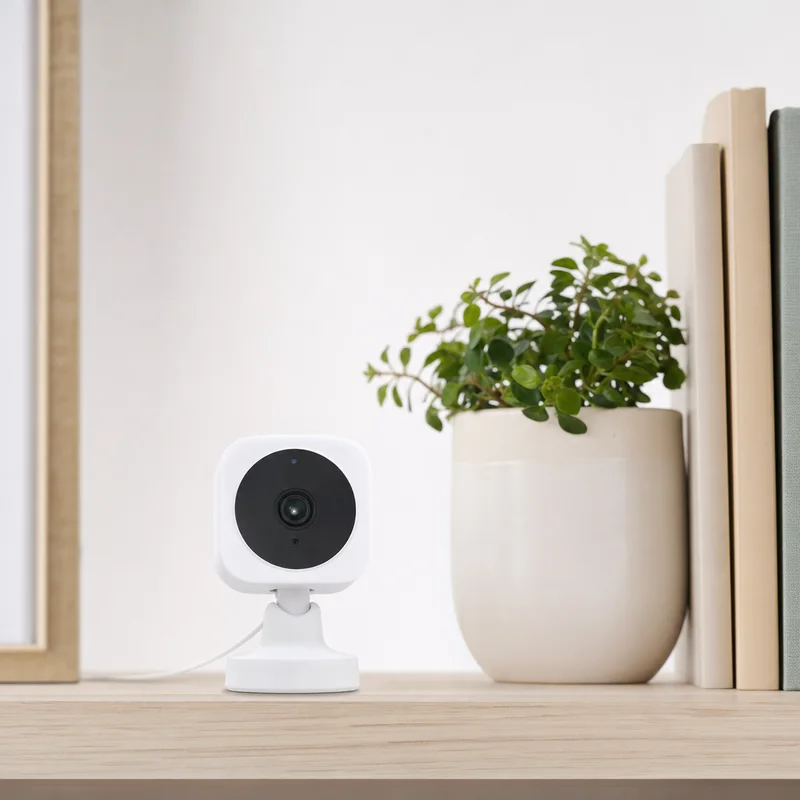
The Blink Mini 2 Plug-In Security Camera earns this spot because PCMag, The Verge and Good Housekeeping UK found it easy to set up, affordable and capable of good daytime video, according to search summaries of those reviews. This white plastic camera delivers 1080p HD live view through the Blink app, sends real-time motion detection alerts to your phone, and includes two-way audio so you can speak to pets or family members remotely. A built-in spotlight provides colour night view instead of black-and-white infrared, which reviewers appreciated for identifying details in low light. The camera plugs into a standard outlet and connects via Wi-Fi, making it simple to position near an entryway, in a hallway or anywhere you want to check in during the day.
Reviewers noted that night video quality is average, and person detection—the ability to distinguish a person from other motion—requires a paid Blink subscription; without it, you’ll receive generic motion alerts. The listing says outdoor use is possible but needs a separate weather-resistant power adapter sold separately, so this camera is primarily an indoor device. Warranty details aren’t stated on the listing, so check the product page for current terms. Place the camera thoughtfully and follow local rules about recording in shared or private spaces. For pet check-ins, monitoring a front door from inside, or keeping an eye on a basement or garage, the Blink Mini 2 offers an accessible starting point with live HD video and two-way talk.
Skip this camera if you need sharp night video, want person detection without a subscription, or plan to use it outdoors without buying the additional adapter. It’s best for budget-conscious renters and homeowners who want a plug-in indoor camera for daytime monitoring and occasional evening check-ins, with the understanding that advanced features cost extra.
Best for Pet check-ins and monitoring entryways on a budget
Pros
- 1080p HD live view via the Blink app
- Colour night view with built-in spotlight
- Two-way audio for speaking and listening
- Real-time motion alerts to your phone
- Affordable plug-in design
Cons
- Person detection requires a paid subscription
- Night video quality is average (per PCMag, The Verge, Good Housekeeping UK)
- Outdoor use needs a separate weather-resistant adapter (sold separately)
- Warranty details not stated on the listing
As an Amazon Associate I earn from qualifying purchases. How we make money
Best budget TV backlight: Govee TV Backlight 3 Lite
Best budget TV backlight
Illustration, not the actual product
Govee
Govee TV Backlight 3 Lite
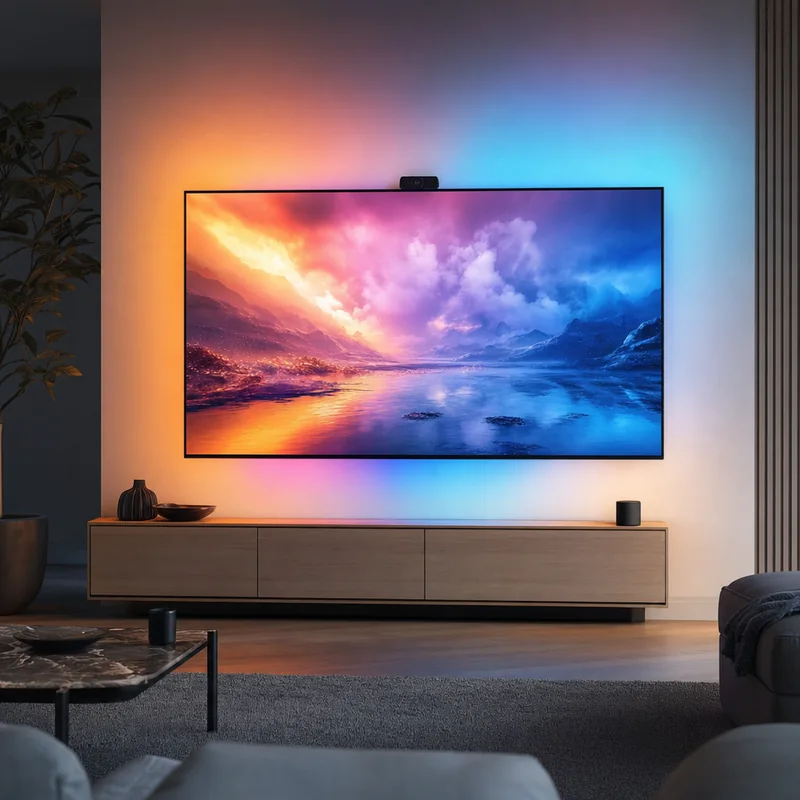
The Govee TV Backlight 3 Lite earned this award because Android Central, Popular Mechanics and How-To Geek reviewed it as good budget ambient TV lighting with solid colour matching, though dimmer than Govee’s pricier models, according to search summaries of those reviews. A small camera hangs on the back of your TV with adhesive to stabilize it, then captures the colours on your screen in real time and sends them to the stick-on LED strip that frames your display. The listing says the version for 55- to 65-inch TVs includes RGBICW LEDs with a warm white chip for richer tones. You calibrate the system through the Govee app (Wi-Fi and Bluetooth connectivity), and a fish-eye correction function helps the colours match your screen more accurately. The listing also mentions DreamView syncing, which lets you coordinate this backlight with other Govee devices for whole-room lighting effects, and a one-year warranty.
Reviewers found that the Backlight 3 Lite is dimmer than Govee’s premium models, so it creates a cozy glow rather than intense brightness—ideal for movie nights and evening ambiance, but less impressive in very bright rooms. Calibration is required to get accurate colour sync, and performance can be affected by strong ambient light from windows or lamps. The camera aims at your TV screen (not into the room), and the LED strip is for indoor use only. Measure your TV diagonally and check the listing to confirm you’re ordering the right size version for your screen. The listing states the power supply is a 12-volt DC adapter rated at 24 watts.
Skip the Govee TV Backlight 3 Lite if you want the brightest possible glow, prefer not to mount a camera on your TV, or find app-based calibration too fussy. It’s best for anyone setting up a cozy living room on a budget who enjoys ambient lighting that reacts to movies, shows and games, and who’s willing to spend a few minutes on setup to get the colour sync just right.
Best for Movie nights and cozy living room ambiance
Pros
- Camera captures colour from any TV content
- RGBICW LEDs include warm white chip
- Fish-eye correction function for colour matching
- DreamView syncing with up to 7 other Govee devices
- One-year warranty according to the listing
Cons
- Dimmer than Govee's premium models
- Calibration required for accurate colour sync
- Performance affected by bright ambient light
As an Amazon Associate I earn from qualifying purchases. How we make money
Also worth a look
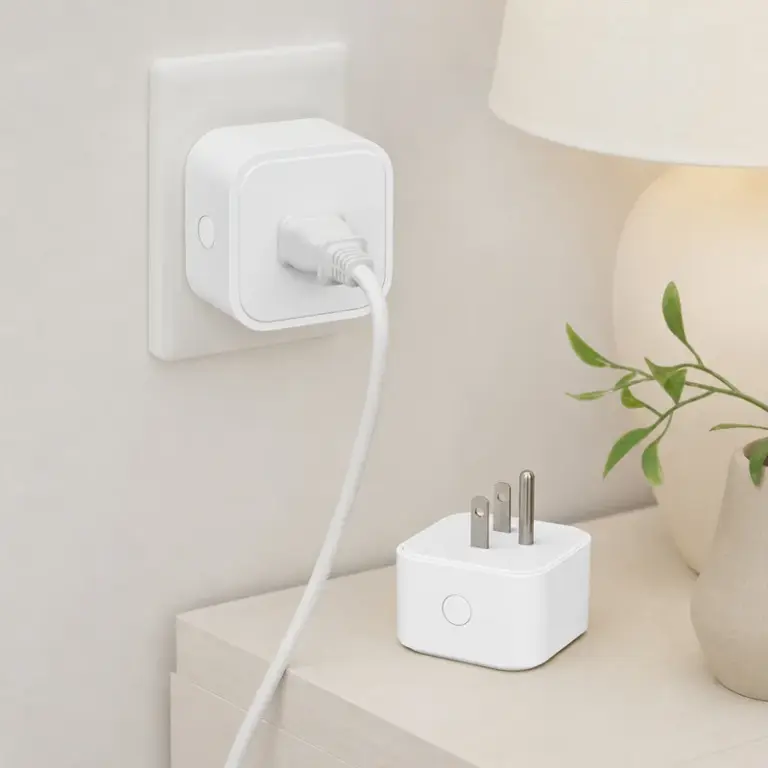
Kasa Matter Smart Plug with Energy Monitoring (2-Pack)
The Kasa Matter Smart Plug with Energy Monitoring (2-Pack) is a compact smart plug rated for 15 amps and 120 volts (1800 watts maximum according to the listing), with Matter compatibility for Apple Home, Alexa and Google Home according to the listing. Wirecutter tested the single-plug version (Kasa KP125M) and said it worked decently but cost more than their top pick; it is not Wirecutter’s pick. We found independent coverage of this product line but not this exact two-pack, so we’re presenting only the listing’s facts here. The listing says each plug tracks energy consumption over time through the free Kasa app, supports local LAN control when your home internet is offline, and comes with a two-year manufacturer warranty. The plugs require 2.4 GHz Wi-Fi and app setup, are for indoor use only, and should not be used with space heaters or any appliance exceeding the rated capacity. They’re sized to avoid blocking adjacent outlets, making them practical for lamps, fans and holiday lights. Check the listing for current compatibility details and setup instructions, and never exceed the plug’s rated load.
Kasa (TP-Link)
Kasa Matter Smart Plug with Energy Monitoring (2-Pack)
Best for Lamps, fans and holiday lights with Matter-platform control
Matter-compatible smart plugs with energy monitoring, 15 A rating, and voice control via Apple Home, Alexa or Google Home.
As an Amazon Associate I earn from qualifying purchases. How we make money
Hub-Free vs Hub-Required Devices
When you’re choosing your first smart-home gadgets, one of the biggest decisions is whether to buy devices that need a separate hub or stick with hub-free options that connect directly to your Wi-Fi router. Hub-free devices—like the Kasa bulbs and Blink camera in this guide—pair straight to your home network and control through their own smartphone apps, so you can set them up in minutes without buying extra hardware. This approach keeps your initial cost and complexity low, and it’s ideal for renters or anyone testing the smart-home waters before committing to a full ecosystem.
Hub-required systems, such as Philips Hue or some Zigbee devices, need a central bridge plugged into your router, but they can offer faster response times, more reliable connections and the ability to control many devices from a single app. If you plan to add numerous smart bulbs, sensors and switches over time, a hub-based system may be worth the upfront investment. For a starter setup with just a few lights, a camera and a plug or two, hub-free devices give you flexibility and simplicity. Whichever route you choose, make sure your router broadcasts a 2.4 GHz network—many smart devices won’t work on 5 GHz-only Wi-Fi—and check each product listing for compatibility with your preferred voice assistant (Alexa, Google Assistant or Apple Home).
Practical Tips for Setup and Placement
Smart-home gadgets work best when you place them thoughtfully and follow a few setup basics. For Wi-Fi bulbs and plugs, start by confirming your router’s 2.4 GHz band is active and that you know the network name and password; most setup apps will walk you through connecting each device one at a time. If a bulb or plug won’t pair, try moving your phone closer to the device during setup, or restart your router and try again. For cameras like the Blink Mini 2, position the unit where it has a clear view of the area you want to monitor, within reach of an outlet, and away from direct sunlight or bright lamps that can wash out the image. Always respect housemates’ and neighbours’ privacy, and follow local rules about recording in shared spaces.
For TV backlights, measure your screen diagonally and compare it with the listing’s size range before you order, then clean the back of your TV thoroughly before applying the adhesive LED strip—dust and oils will weaken the bond. Run the calibration routine in the app to improve colour accuracy, and keep in mind that bright ambient light from windows or overhead fixtures can interfere with the camera’s colour detection. Smart plugs should never be used with space heaters, air conditioners or other high-draw appliances that exceed the plug’s rated capacity; check the appliance label and the plug’s specifications on the listing. Finally, read the product manual for any specific care or maintenance steps—such as updating firmware—and keep the packaging and proof of purchase in case you need to check warranty terms on the listing.
Frequently asked questions
Do I need a hub to start a smart home?
No, you don’t need a hub to start. The devices in this guide—including the Kasa bulbs, Echo Spot, Blink camera and Govee backlight—connect directly to your home Wi-Fi and control through their own smartphone apps, so you can set up a basic smart-home system without buying a separate bridge or hub. Hub-based systems like Philips Hue can offer faster performance and easier management if you plan to add many devices later, but for a starter setup with a few lights, a camera and a plug, hub-free gadgets keep cost and complexity low. Just make sure your router broadcasts a 2.4 GHz network, since many smart devices won’t work on 5 GHz-only Wi-Fi.
Can renters use these smart-home gadgets?
Yes, all the devices in this guide are renter-friendly because they require no permanent installation or hardwiring. Smart bulbs screw into standard lamp and ceiling sockets, plug-in cameras and smart plugs use existing outlets, and TV backlights attach with removable adhesive. When you move, simply unscrew the bulbs, unplug the devices, peel off the LED strip and take everything with you. The Echo Spot sits on a nightstand or desk with no mounting required. Just avoid using adhesive hooks or strips on walls if your lease prohibits them, and always follow your landlord’s rules about cameras in common areas.
Which voice assistant should I choose?
The best voice assistant depends on what other devices you already own. If you use an iPhone, iPad or Mac and want seamless integration, look for Matter-compatible devices that work with Apple Home (like the Kasa Matter smart plug). If you have an Android phone or use Amazon services, Alexa devices like the Echo Spot pair easily with other Alexa-compatible gadgets. Google Assistant works well across Android and Google Nest products. Most of the devices in this guide support both Alexa and Google Assistant, so you can start with one platform and switch later if your needs change. Check each product listing for the specific voice assistants it supports before you buy.
How do I know if a smart plug is safe for my appliance?
Check the smart plug’s amp and wattage rating on the product listing, then compare it with the power draw of your appliance, which you’ll find on a label on the device itself or in its manual. Lamps, fans, holiday lights and small electronics are almost always safe. Never use a smart plug with space heaters, window air conditioners, hair dryers, irons or other high-draw heating appliances, because exceeding the plug’s rating can cause overheating. If you’re unsure, check the listing for guidance or contact the manufacturer. Always follow the plug’s manual and never daisy-chain multiple smart plugs or extension cords together.